iCare EVV
ProductResourcesCompanyContact
Sign inGet the app→Book a demo
ProductResourcesCompanyContactSign inGet the appBook a demo

Made for everyday home care

Care at home, right in your pocket.

Find care, follow visits, and keep family updates in one place without turning every day into phone calls and guesswork.

Download on theApp StoreGet it onGoogle Play
One connected view for visits, notes, and updates
Privacy-focused care Access based on each role Care information encrypted
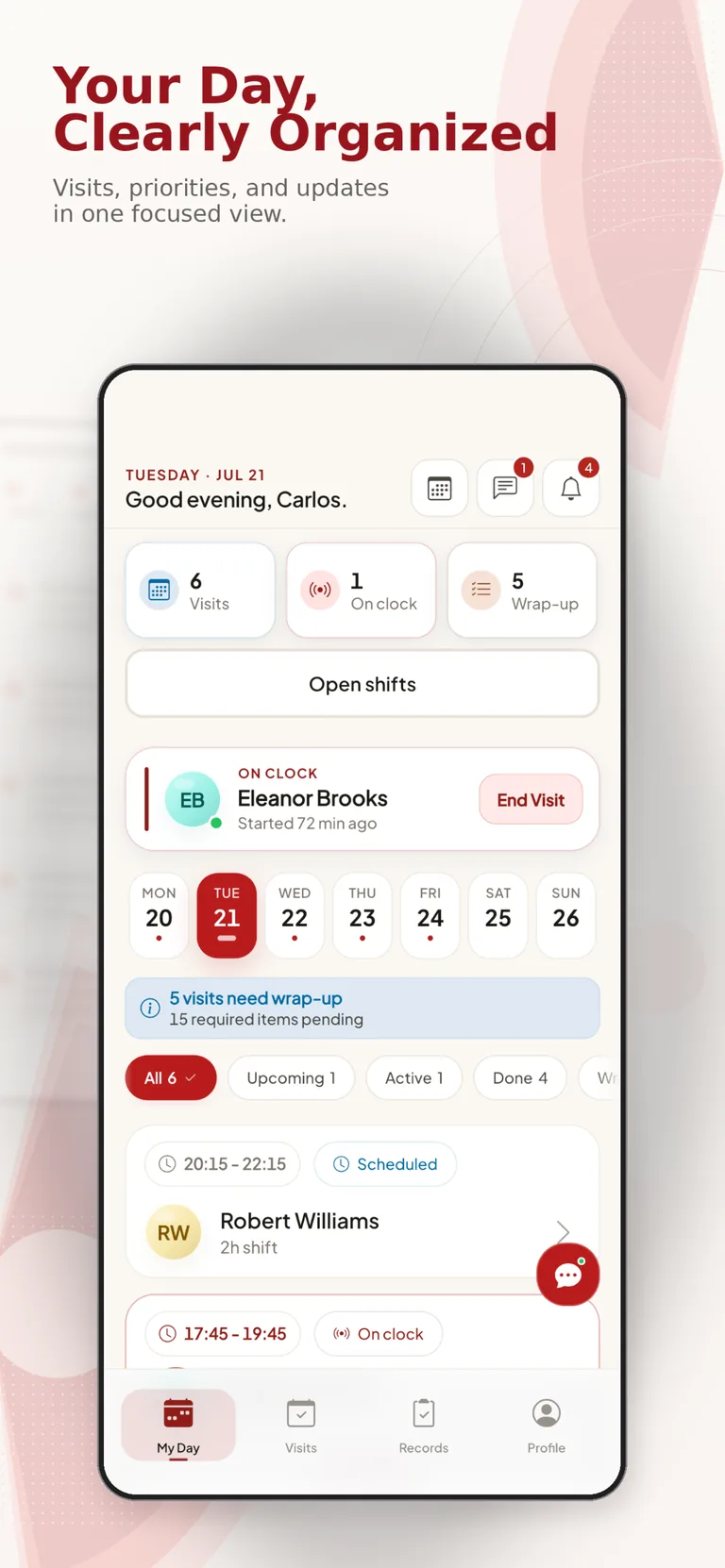
iCare caregiver app showing a clearly organized daily visit schedule
Your day, clearly organized
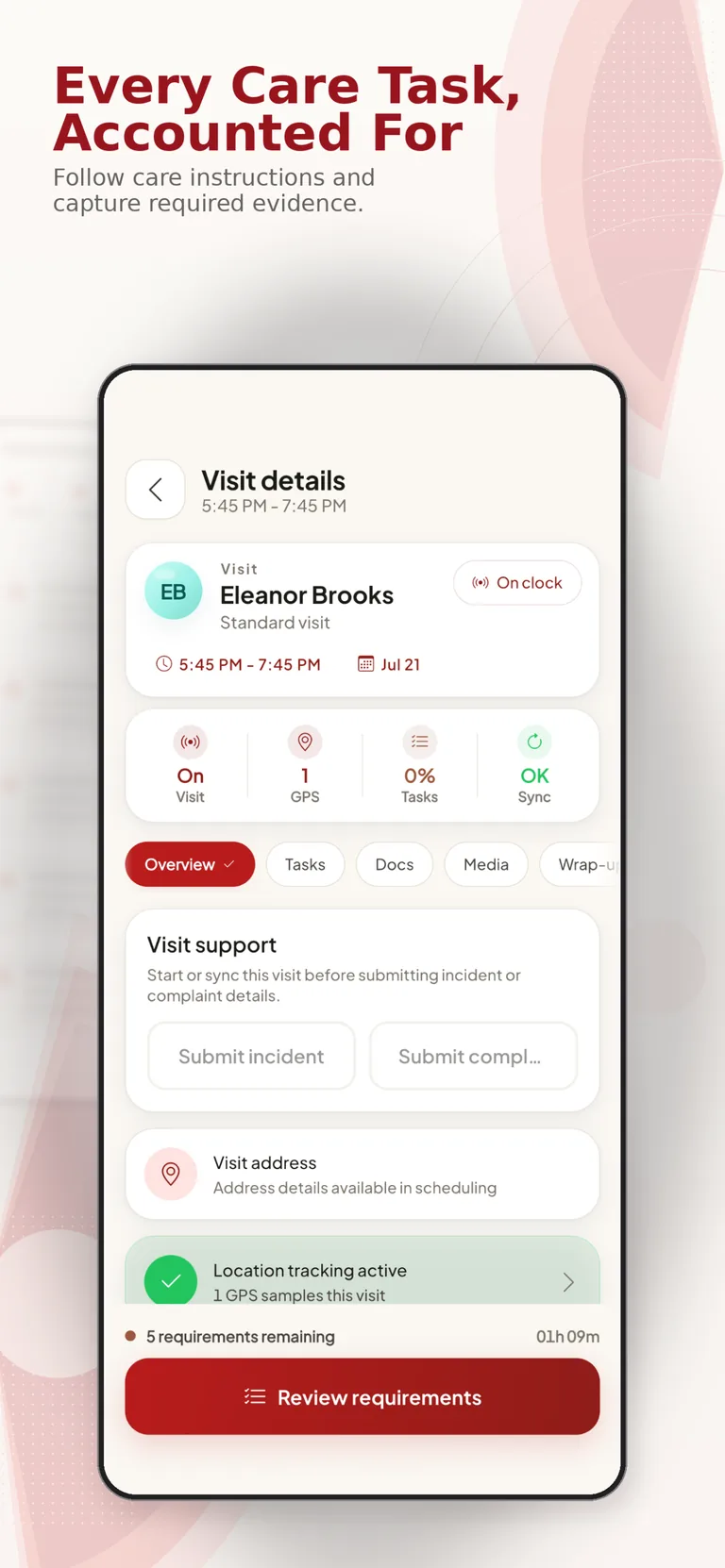
Every care task, accounted for
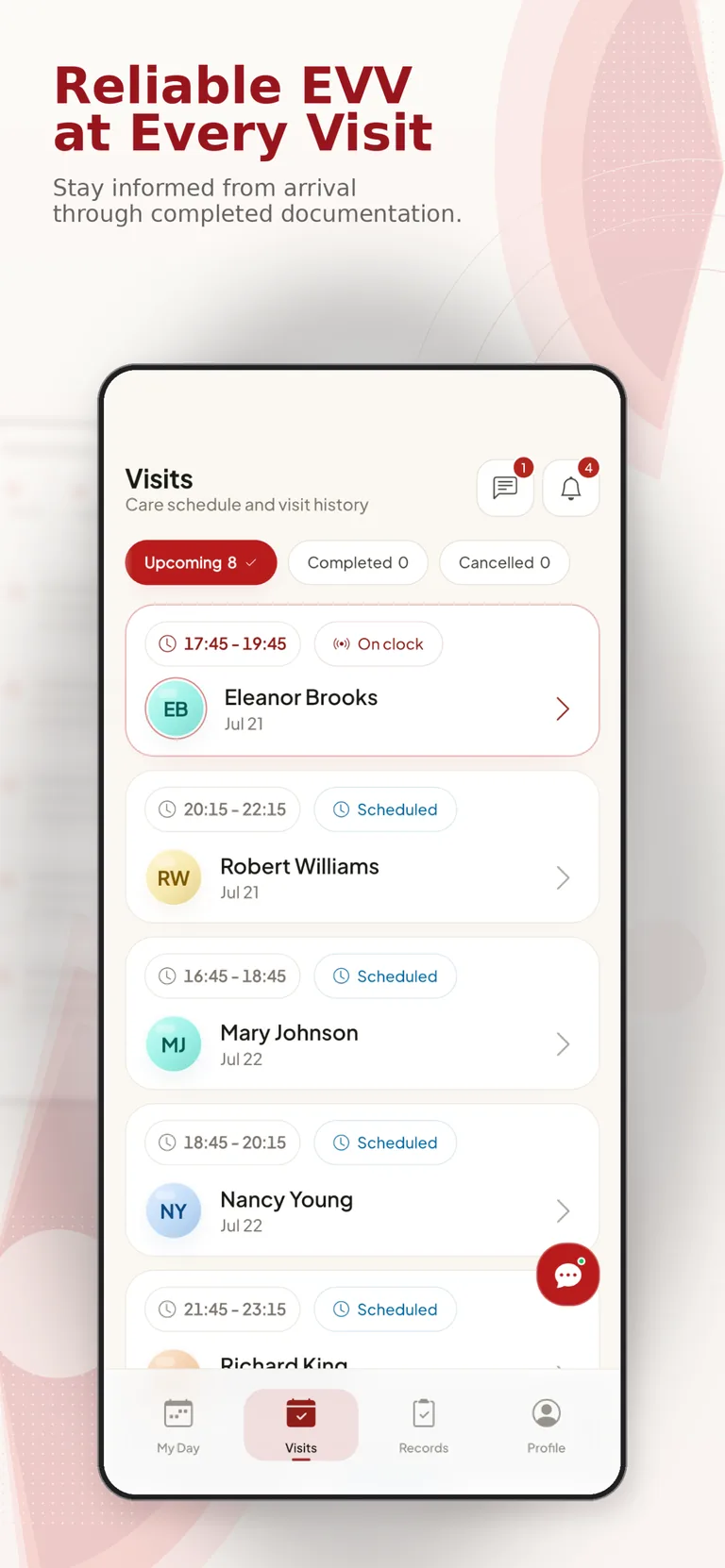
Reliable EVV at every visit
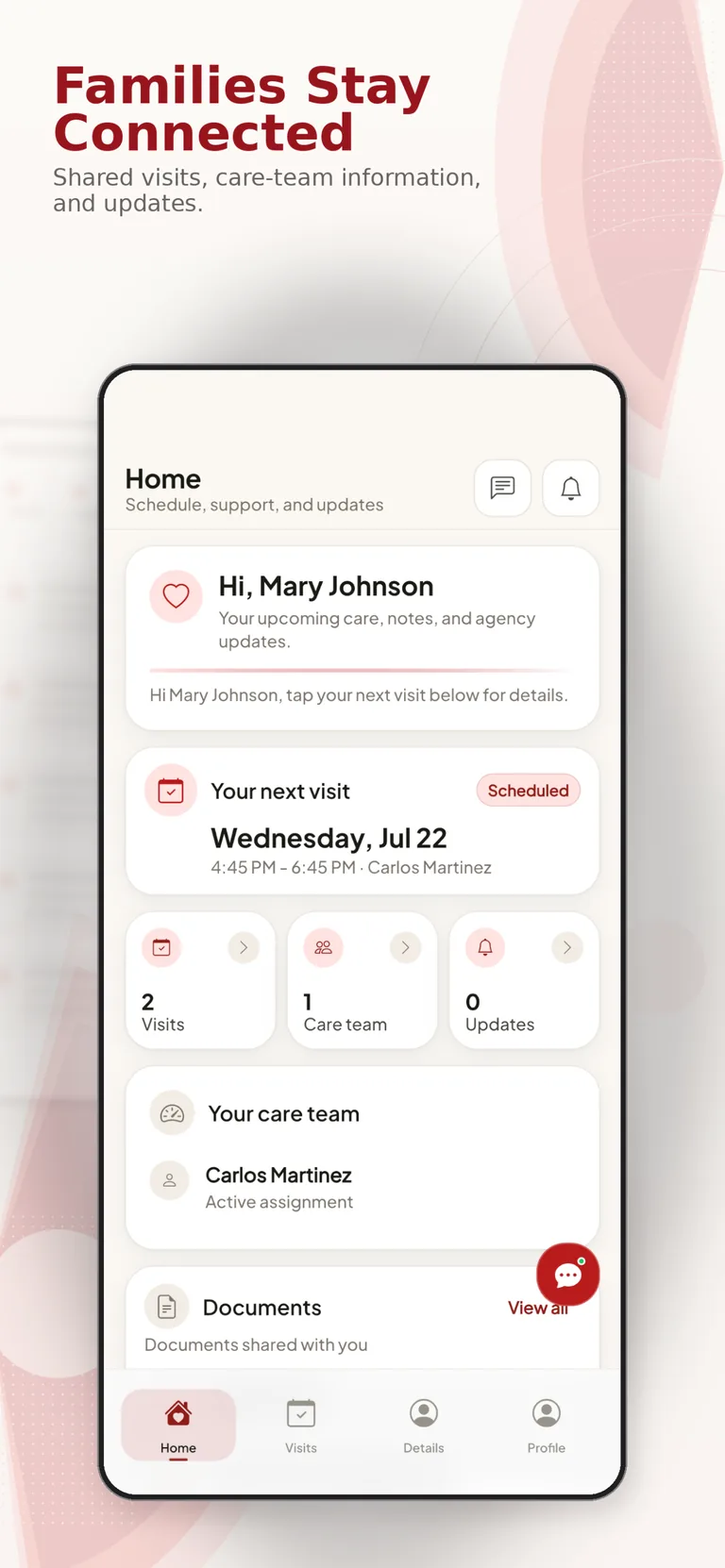
Families stay connected
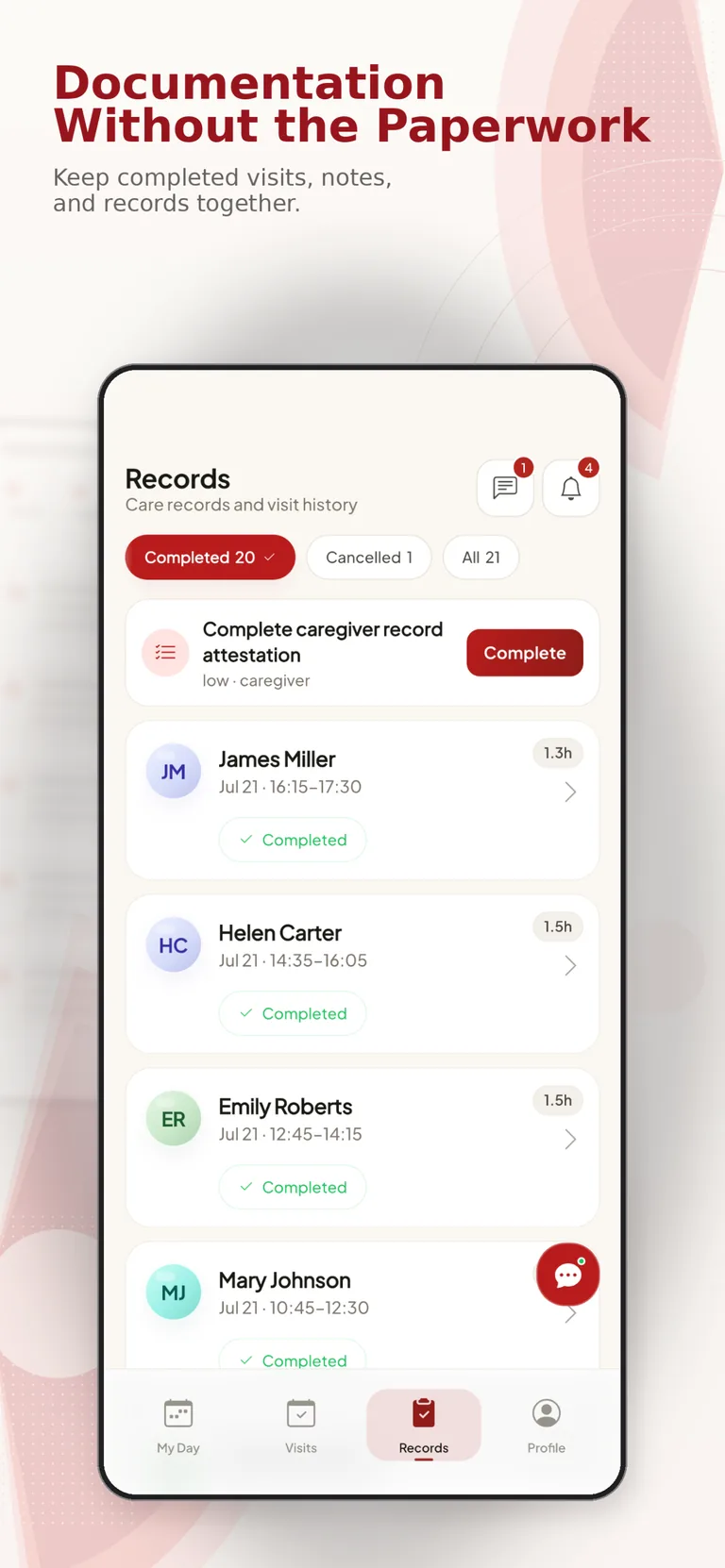
Documentation without the paperwork
Care information that is easy to follow
Connected home-care workflows
SCHEDULINGEVVVISIT NOTESCOMPLIANCEFAMILY UPDATESBILLING READINESS

What you can do

Care updates that read like real life.

Photos, caregiver notes, family messages, and arrival details stay together so the day is easier to understand.

Caregiver and family member reviewing care together
01 / CARE MOMENTS

The day is easier to follow.

Families get the photos, notes, and visit updates they need without calling around for answers.

Care updateShow what actually happened today.

Care notes, photos, and plain-language updates help everyone understand the day.

Care conversationA caregiver can explain the day in simple words.Family supportLoved ones get answers without chasing updates.

Simple+Connected+Flexible

Built for the people who show up — and the agencies who back them.

iCare helps caregivers, families, and agencies keep the work of care organized. From the first visit to the hundredth, the goal is simple: fewer loose ends and more time focused on the person receiving care.

Teams choose iCare because the day is easier to run when visits, notes, schedules, and family communication are not scattered across different tools.

Care workflowConnectedVisit evidenceReviewableFamily updatesIn one place
See it in action →Explore workflows
ON SHIFT · CAREGIVER
AI-generated professional caregiver portrait
Amara O., RNCAREGIVER · 6 YEARS

How it works

From setup to a clearer visit workflow.

↓/ 01

Map the workflow.

Define roles, schedules, service requirements, and the visit information your team needs.

⌗/ 02

Set up the team.

Configure caregiver access, office workflows, and the information families can receive.

✦/ 03

Run and document visits.

Coordinate schedules, EVV events, visit notes, and exceptions in one connected system.

✓/ 04

Review and improve.

Follow incomplete records, resolve issues, and prepare documented work for downstream review.

SetupGuidedRoles and workflow configurationCoverageCoordinatedOpen shifts and assignmentsAccessRole-basedViews aligned to responsibilitiesReviewTraceableVisit evidence and follow-up
ICARE TEAM · SUPPORT
AI-generated Daniel and Mira customer success team portrait
Daniel & MiraCUSTOMER SUPPORT

Our approach

People who know home care, and software that keeps up with the day.

Good software does not replace the people doing the work. It gives them a cleaner handoff, better context, and fewer places to check when something changes.

Our team helps agencies get the setup right, train the right people, and keep the workflow practical after launch.

Learn more about iCare →

Connected workflows

What teams can keep connected.

Visit follow-up

Late, missed, or incomplete visit activity can be surfaced for the office team to review.

01
Scheduling and coordination

Caregiver documentation

Visit notes and required evidence stay connected to the scheduled work and its status.

02
Caregiver and office workflow

Family visibility

Approved updates can be shared through a clearer channel without exposing internal operations.

03
Role-based communication

FAQ

Questions before a product walkthrough.

/ 01What does iCare EVV connect?

iCare connects scheduling, EVV activity, visit documentation, caregiver workflows, compliance review, family communication, and billing readiness.

/ 02How does EVV fit into the workflow?

EVV events remain connected to schedules and visit records so teams can review what happened, identify exceptions, and follow up from one workflow.

/ 03Who can access care information?

Access is based on configured roles. Agency staff, caregivers, and family users receive views appropriate to their responsibilities.

/ 04Does iCare replace every agency process?

No. Implementation starts with the agency workflow and configures iCare around the processes, roles, and review steps that need to stay connected.

/ 05How is implementation planned?

The implementation process covers workflow discovery, role configuration, data preparation, team training, and launch readiness.

/ 06Can we review the product before deciding?

Yes. Book a product walkthrough to discuss your current workflow and see the relevant scheduling, EVV, documentation, and review areas.
See iCare EVV

Bring the care workflow together.

Review scheduling, EVV, visit documentation, compliance follow-up, and family updates in one guided walkthrough.

Download on theApp StoreGet it onGoogle Play
Web, iPhone, and Android workflows · role-based access
iCare EVV

Home-care software for scheduling, EVV, visit documentation, compliance review, and keeping care teams on the same page.

Product

FeaturesHow it worksStories

Company

AboutFor caregiversContact

Security

HIPAAPrivacyTerms
© iCare EVV, 2026 · Care records handled with care. Privacy and security built into everyday care.